


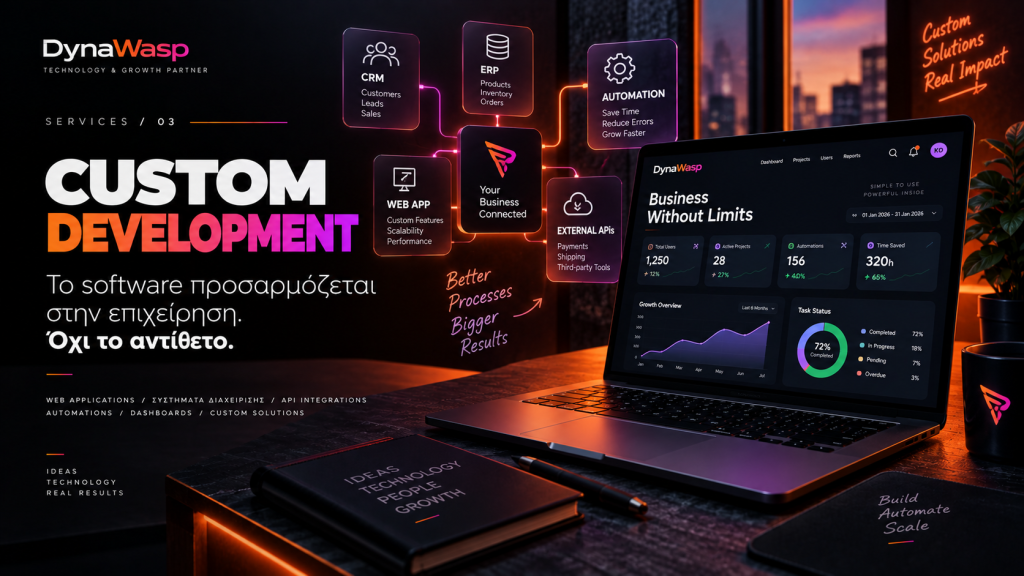
There comes a point in the growth of many businesses when off-the-shelf tools start to fall short.
Excel. Emails. A CRM. An ERP. A few plugins. Different platforms. Manual data entry. Each one may solve a small part of the problem, until day-to-day work starts to consist of people moving information from one system to another.
That is where custom web development starts to make real sense. Not because custom is always better, but because there are cases where technology needs to be designed around the way the business actually works.
1. What does custom web development really mean?
Custom development does not simply mean that a website has a different design. It means creating features, applications or entire systems built for specific requirements.
It could be a customer portal, an internal CRM, a quoting system, a booking application, a B2B portal, a dashboard, a project management system, a subscription platform, a connection between different systems or an entirely new web application.
We do not start with “what can the platform do?”. We start with “what does the business need to do?”
2. When are off-the-shelf solutions the right choice?
Custom development is not necessary for every project, and it should never be recommended just because it is technically more complex. If an existing platform properly covers a business’s needs, it may well be the best solution.
There is no reason to build a CMS from scratch when a well-implemented WordPress site can fully cover the project, nor necessarily a custom e-commerce engine when an existing solution does the job properly.
The right technical decision is the one that solves the problem with the right balance of cost, flexibility and room to evolve.
3. The first sign: too many manual processes
One of the clearest signs that a different approach is needed is repetitive manual work. An employee receives an email, copies the details into Excel, then enters them into the ERP, sends an update to the customer and updates yet another system.
Every one of these steps takes time and creates room for human error. A custom system can turn many of these steps into a single, unified process.
4. When five different tools are used for one job
Businesses often acquire software gradually: one tool for customers, one for projects, one for invoicing, one for support and one for reports. The problem appears when these systems do not talk to each other.
The result is multiple versions of the same information. When the answer to a simple business question depends on which system you open, your information has become fragmented.
5. APIs: the bridges between systems
A large part of modern development is about connecting systems. Through APIs, where the systems support it, we can connect a website, e-shop, CRM, ERP, payment gateways, couriers, email platforms, accounting systems, cloud services and third-party applications.
This way, an action in one system can automatically trigger a process in another, and information flows without human intervention every single time.
6. Automations: not every task needs a person
Automation does not mean replacing people. It means not spending human time on tasks that a system can carry out reliably.
When a new customer is created, the corresponding folder can be created automatically. When a quote is accepted, a project can be created. When an order is completed, the ERP can be updated.
The goal is to identify which repetitive steps no longer need to be done by hand.
7. Custom software should follow real processes
Before any code is written, we need to understand the process: who does what, when, what information is needed, who should have access, what happens when something goes wrong and what the next step is.
If a flawed process is transferred into software as it is, all you get is a digital flawed workflow. That is why discovery and process mapping are among the most important stages of any custom project.
8. Roles and permissions
Not every user of a business application should be able to see or change everything. A custom system can have different roles, such as Administrator, Manager, Employee, Partner, Customer or other specialised roles.
Each role can have specific capabilities and access only to the information required for its work. This supports both organisation and security.
9. A dashboard should answer questions
A dashboard is not successful because it has lots of charts. It is successful when the user can open it and quickly answer: What needs my attention? What has changed? Which task is running late? What do I need to do today? How is the business performing?
Data needs to be turned into useful information.
10. Security by design
The more business operations move into a system, the more important security becomes. Authentication, authorisation, session management, encryption where required, logging, backups, secure API communication and access restrictions should all be addressed at the architecture stage.
Security should be part of the way the system is designed.
11. Scalability: what happens if the business grows?
A custom project should not be designed only for today’s users. It also needs to consider what tomorrow might bring: what happens if 5 users become 50, if 500 records become 500,000, if a new store is added, if a mobile application is needed or if a new ERP has to be connected?
We cannot predict every future need. But we can avoid architectural decisions that make every change disproportionately difficult.
12. Custom does not mean “building everything from scratch”
Modern software development is built on frameworks, libraries, APIs, cloud services and proven technologies. There is no reason to rebuild something that already exists and works properly.
Real custom development lies in the way technology is combined to solve a specific business problem. Custom does not mean isolation. It often means exactly the opposite: integration.
13. When is custom development not worth it?
There are cases where it is not the right investment: if the requirement is fully covered by an affordable SaaS product, if the process keeps changing and has not yet stabilised, if the development cost far outweighs the business benefit, or if something is being built custom simply to be able to say it is custom.
The right question is not “Can we build it?” but “Is it worth building?”
14. MVP: first, what you really need
A custom project does not need to launch with dozens of features. It is often better to create an MVP — Minimum Viable Product. The first version includes the features that solve the core problem, it is used in real day-to-day work, we gather feedback and it then evolves.
This reduces the initial risk and avoids investing time in features that may ultimately offer no real value.
15. The real ROI of custom software
The results of a custom system can be measured in fewer hours of manual work, fewer errors, faster service, better access to information, lower operating costs, a better customer experience and the ability to handle a larger volume of work.
If a system saves time for many people every day, its value compounds over time.
So, when does a business need a custom solution?
Not because it is more impressive or more “premium”. It is needed when the business’s real processes have outgrown the tools it uses. When information is fragmented, when the same task is done over and over again, when different systems need to start communicating, or when there is a business idea that simply does not exist as an off-the-shelf product.
The right custom software does not force the business to adapt to it. It adapts to the business and evolves with it.
Frequently Asked Questions
Is custom development more expensive than an off-the-shelf solution?
It usually requires a larger initial investment, because it is designed and developed for specific requirements. However, if it significantly reduces manual work, subscriptions to multiple tools or operational problems, the overall financial picture over time may look very different.
Can a custom application connect to an existing ERP or CRM?
In many cases, yes, provided the third-party system offers a suitable API or another supported integration method. The possibilities need to be assessed separately for each system.
Do all the features have to be built from the start?
No. We often recommend creating an MVP with the most important features and developing it gradually, based on real usage and the needs that emerge.
Can a custom application evolve later?
That should be one of the core goals of its architecture. Not every future requirement can be predicted, but the system can be designed to allow sensible expansion.
The DynaWasp approach
At DynaWasp, custom development starts with understanding the business, not with choosing a framework. We study the process, the points where time is lost, the systems already in use and the information that needs to flow between them.
We then look at what genuinely needs to be built, what can be automated and what is better left to an existing solution. Because the goal is not to write more code. It is to use technology to create a better way of working.
Does your business have a process that still relies on Excel, emails and repetitive manual tasks? Talk to the DynaWasp team so we can explore whether you really need custom development — and what the right first version of the solution could be.