


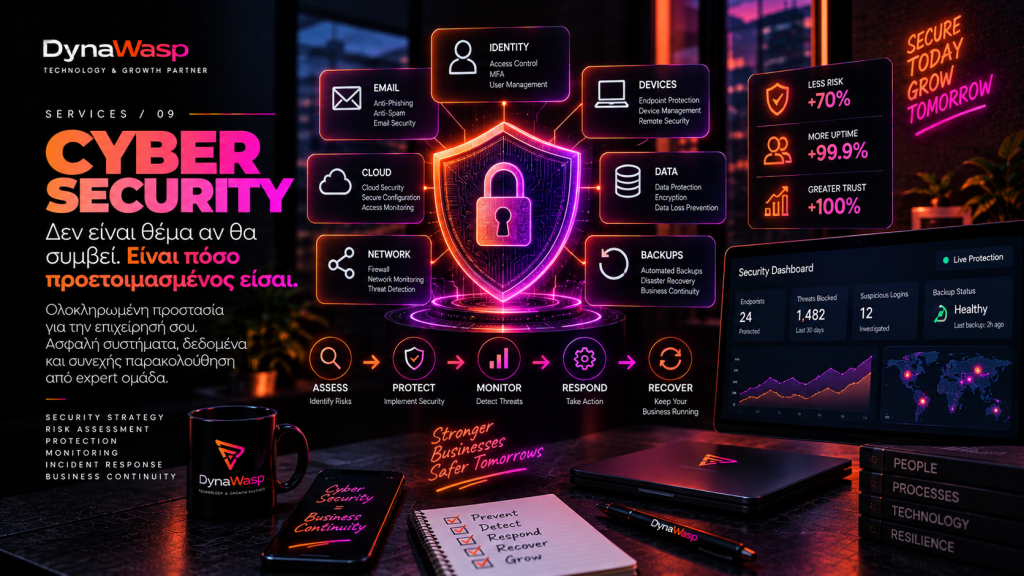
Cybersecurity is not an antivirus. It is the way a business prepares for mistakes, attacks and the unexpected.
An email arrives in the accounts department. It appears to come from a partner. The name is right. The logo is right. The tone of the message seems normal. There is an attachment.
One click. And from there, an incident can begin that no longer involves just one computer: email accounts, passwords, customer data, cloud files, the website, backups and financial transactions.
A modern business cannot base its cybersecurity on the hope that “it won’t happen to us”. It has to be based on the question: “If it does happen, how ready are we?”
1. Cybersecurity does not just mean antivirus
Antivirus, firewall, VPN, backup and MFA can all be parts of a security strategy. But none of them on its own is “cybersecurity”.
Real security is built in layers: people, devices, accounts, network, cloud, applications, data, processes, backups, monitoring and incident response.
If one layer fails, the next one should be able to limit the damage. That is the logic of defence in depth.
2. “We are a small company. Who would bother with us?”
One of the most dangerous mistakes is assuming a business is too small to be a target. Many attacks are carried out at scale and automatically: bots look for exposed services, credentials are tested automatically, phishing emails are sent in bulk and vulnerabilities are scanned on a massive scale.
An attacker does not always need to know who you are. They only need to find an open door.
3. People are part of security
The best security stack can fail if an employee hands over their credentials on a fake page. Social engineering attacks exploit pressure, haste, trust, fear, curiosity and hierarchy.
That is why security awareness should be part of the company’s culture.
4. Passwords: “123456” is not the only problem
A complex password does not help much if it is used everywhere. Better practice means unique passwords for every service, a password manager where appropriate and multi-factor authentication enabled on critical services.
5. MFA: a second barrier
If a password is stolen, MFA can add another layer of protection. It does not make an account invulnerable, but leaving MFA off critical accounts means an important line of defence goes unused.
6. Email remains one of the most significant attack surfaces
Email is tied to almost an employee’s entire digital identity. If an attacker gains access to a company mailbox, they can follow real conversations and step in at just the right moment. That is why securing company email is critical.
7. Business Email Compromise
A genuine conversation with a supplier can be used for fraud, for example with a message announcing an IBAN change shortly before a payment is due. That is why critical financial changes should never be confirmed solely through the same communication channel.
8. Updates and Patch Management
Software vulnerabilities are discovered all the time. Software updates are not only about new features; they often include security fixes. Patch management means having an organised update process.
9. Backups: “we have a backup” is not the same as “we can recover”
When was it created? What does it include? Where is it stored? Is it isolated? Has a restore been tested? How long does recovery take?
An untested backup is more of an assumption than a recovery plan.
10. Ransomware: a backup alone does not solve everything
A ransomware incident can involve credential theft, data exfiltration, lateral movement and attempts to destroy backups. It takes a combination of prevention, restricted access, monitoring, a backup strategy and incident response.
11. Least privilege
Every user and every system should have only the access it genuinely needs. If an account is compromised, this limits what an attacker can do through it.
12. Offboarding
When an employee leaves, their access to email, CRM, VPN, cloud storage, WordPress, social media and other critical systems should be removed promptly. Proper offboarding is a security process.
13. Shadow IT
Company data can end up in unapproved services, cloud accounts or AI applications. This calls for a policy, awareness and approved alternatives.
14. The cloud does not make responsibility disappear
The business remains responsible for accounts, permissions, configuration, data, access policies, devices and backups where required. Security in the cloud is usually a shared responsibility.
15. Monitoring: if someone gets in, will we notice?
Suspicious logins, unusual changes, repeated failed authentication, unexpected administrator creation, endpoint alerts and network anomalies can all be important signals. Monitoring shortens the time between a breach and the response.
16. Incident Response
A real incident never happens at a convenient moment. An Incident Response Plan exists so that roles, system isolation, communication, backups, emergency credentials and the necessary actions have all been worked out in advance.
17. Business Continuity
After an incident, the question is also whether the business can keep operating. Cybersecurity, disaster recovery and business continuity are directly connected.
18. Cybersecurity is not a project that ends
Systems, employees, vendors and threats all change. Security is an ongoing process: Assess → Protect → Monitor → Respond → Recover → Improve.
So, how secure is a business really?
The right question is not “Can someone hack us?”. The right question is: How difficult have we made it for that to happen? How quickly can we detect it? How far can we limit the damage? And how quickly can we recover?
That is cybersecurity: the ability to prevent, detect, respond and recover.
Frequently Asked Questions
Does a small business need cybersecurity?
Yes, at a level proportionate to its real risk, its data and its systems.
Is an antivirus enough?
No. Endpoint protection is only one part of overall security. Accounts, MFA, backups, updates, permissions, email security, awareness and incident response are just as important.
If we use the cloud, do we need a backup?
What backup you need depends on the service, the data and the provider’s recovery capabilities. The fact that something is in the cloud is not, in itself, a complete backup strategy.
What is the first step?
Knowing exactly what needs protecting: systems, accounts, devices, data, vendors and critical business functions.
The DynaWasp approach
At DynaWasp, we treat cybersecurity as part of how a business operates, not as yet another software subscription.
We start by mapping the situation: What needs to be protected? Where is the important data? Who has access? What happens if a critical system stops working tomorrow?
We then look at the measures already in place, the gaps and the real priorities. The goal is to create layers of protection, processes and response capabilities that make sense for that specific business.
We cannot promise that an incident will never happen. But we can work to make sure the business is far better prepared when something goes wrong.