


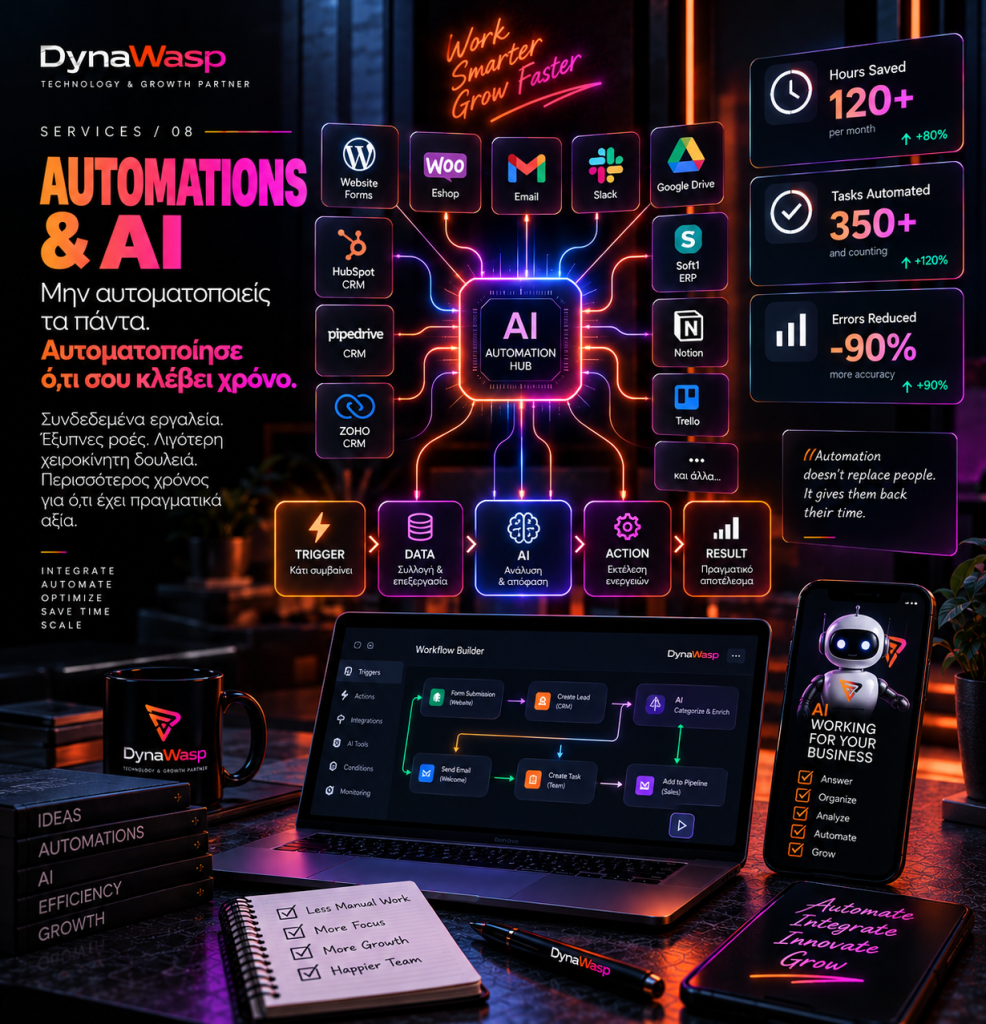
Automation does not start with AI. It starts with a process we no longer need to do by hand, over and over again.
A new lead comes in. Someone copies their details from the email into the CRM, creates a task, notifies the person responsible, sets up a folder, sends an email and adds a reminder. The next day, they do exactly the same for the next customer.
None of these actions seems particularly big. But if they take 10 minutes and are repeated 30 times a day, that adds up to 5 hours of work every day.
This is where the real value of automations lies. Not in using AI because it is a trend, but in asking: Which tasks is a person doing today that a system could reliably take over?
1. Automation does not mean AI
The two terms are often used as if they were the same. They are not.
An automation can be a simple rule: When A happens → do B.
When a form is submitted → create a lead in the CRM. When a purchase is made → update the ERP. When a quote is accepted → create a project. When a date is approaching → send a reminder.
None of this requires artificial intelligence. AI becomes valuable when a task needs more than a simple rule.
2. Where does AI really come in?
Traditional automation works very well when we know the rules exactly. AI can help when we need to process less structured information.
It can categorise an incoming request, summarise a long text, extract information from a document, suggest a draft reply, identify the subject of an email or organise data.
We do not put AI into every step. We use it where it genuinely adds capability.
3. Start with the process, not the tool
“I want us to bring AI into the company.” That is not yet a specific project.
The first question should be: Where is time being lost today?
Which task is repeated? Where do mistakes happen? Where is the same data copied again and again? Where does a simple process generate lots of emails? Where are there Excel files that have to be updated manually?
Once we understand the process, we can decide whether it needs automation, integration, custom development, AI or simply better organisation.
4. The biggest automation opportunity often hides in copy-paste
If an employee takes information from system A and moves it into system B, there is probably something worth looking at.
Website → CRM. CRM → ERP. e-shop → courier. Form → spreadsheet. Order → accounting. Support request → task management.
That does not mean every such transfer can or should be automated. But it is one of the first places we look, because human copy-paste is not just a cost in time. It is also a chance for error.
5. APIs: how systems “talk” to each other
Many modern applications offer APIs. Through them, one system can send information to or receive information from another in a controlled way.
An e-shop can send a new order to the ERP, a CRM can update an application and a platform can automatically create a customer in another system.
APIs are a core part of many serious automations, but every integration needs to be assessed on its own merits.
6. Webhooks: when one system notifies another instantly
A webhook allows one system to notify another when a specific event occurs.
New order → notify the automation.
Instead of the second system constantly asking “has anything new happened?”, it can be notified the moment it happens. This can create fast, efficient flows between different applications.
7. CRM automations: from lead to follow-up
A new lead can trigger an entire process: entry into the CRM, assignment to an owner, categorisation, a confirmation email, a follow-up task, a reminder if there has been no reply and a stage change when an action is taken.
This does not mean communication has to become impersonal. It means the process around communication can be better organised.
8. e-commerce automations
An e-shop generates many events every day: a new order, a cancellation, a payment, a shipment, a return, low stock, an abandoned cart, a new or returning customer.
Depending on the technical infrastructure and business needs, each of these can trigger specific processes. What matters is not to create dozens of automations without an overall picture. We need a workflow that can be monitored and maintained.
9. AI for customer support: assistance, not unchecked autonomy
An AI system can help with customer support: finding relevant information, suggesting a reply, categorising the request or routing it to the right team.
But there need to be limits. What happens when it does not know? When should the request be handed over to a person? What information is it allowed to use?
Good AI support is not “the bot answers everything”. It is: “the system knows when it can help and when it needs to stop.”
10. Human in the loop
There are tasks where we do not want the automation to make the final decision on its own. It can prepare, suggest and organise, and then a person approves.
AI → creates a draft quote. Human → reviews and approves.
This approach, known as human-in-the-loop, is safer than full autonomy for many business processes.
11. AI can be wrong with great confidence
An AI model can produce an answer that seems perfectly logical and still be wrong.
That is why we should not give an AI workflow unchecked access or the ability to carry out critical actions without safeguards. The greater the potential consequence of a mistake, the more control is needed.
12. Data privacy: what information are we giving the AI?
One of the most important questions is: What data passes through the system?
Personal data? Customer details? Financial information? Internal documents? Passwords? Confidential contracts?
We should not connect services and AI tools without knowing what data is being sent, how it is used, where it is stored and who has access to it. Convenience should never come before security.
13. Automation without monitoring is a future problem
An automation works today. But what happens if tomorrow the API changes, a token expires, a field is renamed or a third-party system stops responding?
You need logs, error handling, alerts, retries where they make sense and monitoring. Because an automation that fails silently can create a bigger problem than the manual process it replaced.
14. We do not automate a bad process
If a process has 14 unnecessary steps, automating all 14 does not necessarily mean we have improved it.
Before automating, we should check whether a step can be removed, whether two approvals can become one and whether we really need every intermediate tool.
Automate after simplify. First we simplify. Then we automate.
15. ROI: how much is an automation really worth?
Let us assume a process takes 15 minutes and is carried out 20 times a day. That is 5 hours a day, or roughly 100 hours a month over 20 working days.
If an automation significantly reduces that time, we can start to calculate its business value. But ROI can also include fewer errors, faster service, fewer lost leads and the ability to handle a larger volume of work.
16. AI agents: more capabilities, a greater need for control
AI systems are evolving from simple chat interfaces into systems that can use tools and carry out multiple steps: receive a request, look up information, update a CRM, prepare a document and create a task.
The more actions a system can take, the more important permissions, audit logs, approval steps, security, testing and fallback mechanisms become.
Autonomy without control is not mature automation.
17. The best automation is often the one the customer never sees
Not every AI project needs an impressive chatbot on the homepage. Some of the most useful automations work behind the scenes.
They tidy up data. They update systems. They create tasks. They send notifications. They check statuses. They synchronise information.
The customer may never know they exist. They simply notice that the company responds faster and operates in a more organised way.
So, what does Automation & AI mean for a business?
It does not mean “Let’s put ChatGPT everywhere.”
It means looking at the business as a system of processes. Identifying what is repeated, what causes delays, what is copied, where mistakes happen and where human time is lost for no real reason.
Then we choose the right technology: simple automation, API integration, custom software or AI.
The goal is not to use more technology. It is to need less unnecessary work for the business to run better.
Frequently Asked Questions
Does every automation need AI?
No. Many business automations work better with clear rules, APIs and triggers, without any need for AI.
Can the tools my business already uses be connected to each other?
In many cases, yes, provided the applications offer suitable APIs, webhooks or other supported integration methods. This needs to be assessed technically for each platform.
Can AI reply to customers automatically?
It can be used in specific, controlled scenarios. But there need to be rules on when it replies, what information it uses and when it hands the conversation over to a person.
Where should a small business start?
Usually with a process that is repeated often, takes up a measurable amount of time and has clear steps. There is no need to automate the whole company from day one.
The DynaWasp approach
At DynaWasp, we do not start with “Where can we add AI?”. We start with “Where is the business losing time today?”
We map the process, examine the tools already in use, identify the repetitive points and then decide whether the right solution is automation, API integration, custom development, AI or a combination of them.
With control, monitoring and human oversight wherever it is genuinely needed. Because the best automation is not necessarily the most impressive one. It is the one that gives real time back to the business every month.
Is there a process in your company that your team repeats every day? Talk to the DynaWasp team so we can explore whether it can become simpler, faster and more automated.